Back to Nano Banana
CASE 36
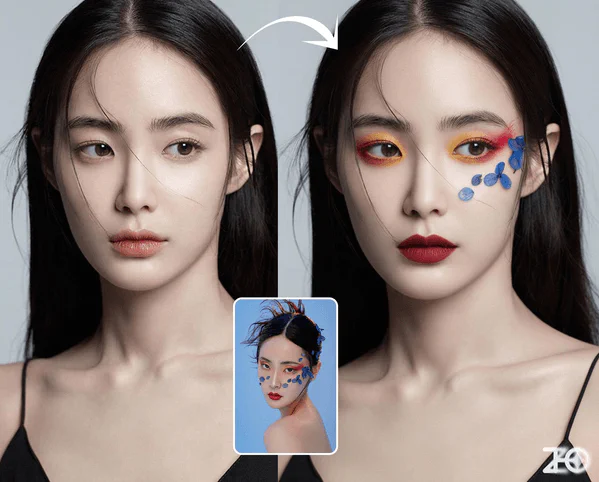
Virtual Makeup Try-On
Apply makeup from reference images to characters while maintaining poses from the original images, creating realistic virtual makeup transformations.
Original Image
Virtual Makeup Result
Portrait Image
Upload portrait image to apply makeup
High-quality portrait recommended
Makeup Reference
Upload makeup reference image
Image with desired makeup style
Complete AI Prompt
Apply the makeup from Image 2 to the character in Image 1, while maintaining the pose from Image 1.
Makeup Result
Your virtual makeup result will appear here
Upload both portrait and makeup reference images to get started
Pro Tips
- • Use high-quality portrait images with good lighting for best results
- • Portrait should be front-facing or slightly angled for optimal makeup application
- • Makeup reference should clearly show the desired style and colors
- • Coverage level controls the intensity of the makeup application
- • Auto skin tone adaptation ensures natural-looking results